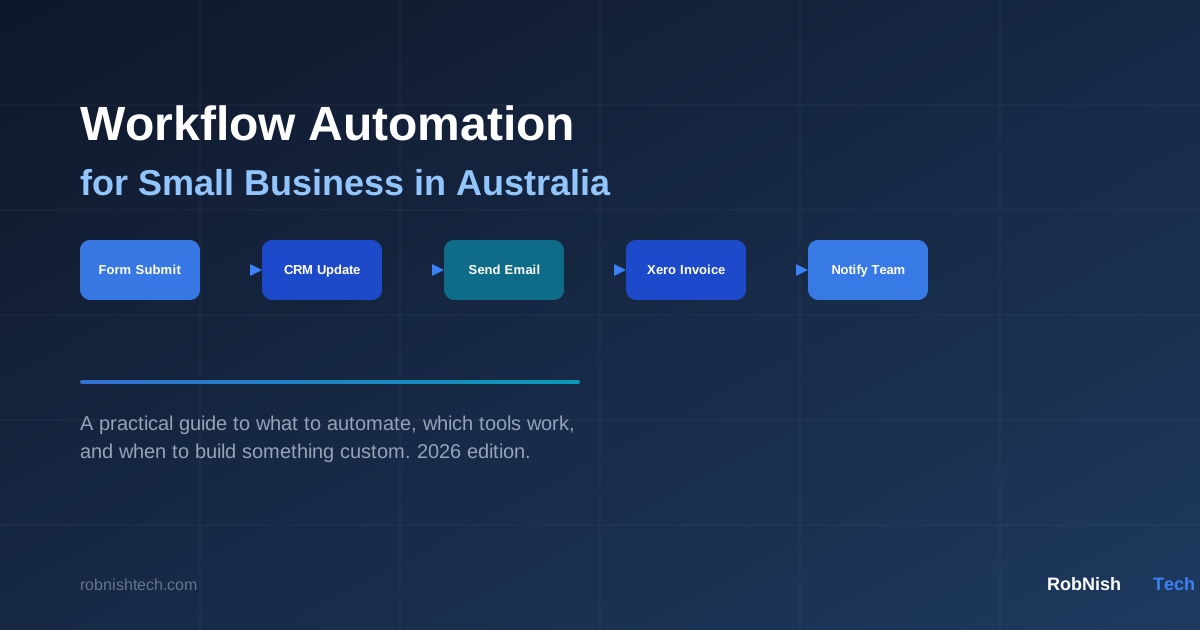
Every growing business reaches a point where the manual work starts to hurt. Chasing invoices in email threads. Copying data between spreadsheets and your CRM. Re-entering order details that your customer already submitted in a form. Manually sending the same update to three different tools.
This is not a people problem. It is a systems problem — and workflow automation is how you fix it.
This guide is for small business owners and operations managers in Australia who want a clear picture of what workflow automation actually involves, which processes are worth targeting first, and when off-the-shelf tools are enough versus when you need something built specifically for your business.
What Is Workflow Automation?
Workflow automation is the process of using software to perform tasks that would otherwise require manual effort. When a trigger event happens — a form is submitted, an invoice is approved, a new customer signs up — the system automatically performs one or more actions without human intervention.
Some practical examples:
- A customer fills out a contact form, which creates a CRM record, sends an auto-reply email, and notifies your sales team — all without anyone pressing a button.
- An order is placed in your eCommerce store, which updates your inventory system and fires a fulfilment request to your logistics partner.
- A job is marked complete in your field service tool, which triggers an invoice in Xero and sends a satisfaction survey to the customer.
Automation does not replace your team. It removes the low-value, repetitive steps so your people can focus on work that actually requires judgement, relationships, and expertise.
Which Processes Are Worth Automating First?
Not every process is worth automating. The best candidates share a few characteristics: they happen frequently, they follow a predictable pattern, and the manual steps involved add no real value beyond moving information from one place to another.
High-value automation candidates for Australian small businesses include:
- Lead capture and follow-up — Moving enquiries from web forms into your CRM and triggering an initial response or sequence.
- Invoice generation and payment reminders — Connecting your job management or project tool to Xero or MYOB so invoices are created automatically when work is complete.
- Client and staff onboarding — Triggering a checklist, document request, or welcome sequence automatically when a new engagement starts.
- Reporting and data consolidation — Pulling data from multiple sources into a single weekly or monthly summary without manual exports.
- Appointment scheduling and reminders — Reducing no-shows with automated SMS or email confirmations sent at the right time.
- Stock levels and job status alerts — Notifying the right person when a threshold is reached or a status changes in a connected system.
Where to Start
Begin with the process that costs you the most time or causes the most errors each week. One well-designed automated workflow can recover several hours a week without any new staff.
Off-the-Shelf Tools vs Custom Automation
Most small businesses start with no-code or low-code platforms like Zapier, Make (formerly Integromat), or n8n. These tools let you connect popular apps through visual workflows without writing code.
When no-code tools work well
- You are connecting two or three well-supported apps — Gmail, HubSpot, Xero, Slack, Shopify — that all have existing connectors.
- Your workflow is relatively simple with few conditional branches or error paths.
- Your team is comfortable managing the tool, or the volume of tasks stays within a predictable pricing tier.
Where they start to fall short
- Your business uses industry-specific software, a custom internal system, or a legacy database that does not have a standard connector.
- Your workflow involves complex logic, branching paths, or multi-step error handling that no-code tools cannot represent clearly or reliably.
- You need the automation to interact directly with your own database, internal API, or a proprietary third-party system.
- Your task volume outgrows the platform's pricing tier, making the per-task cost unsustainable as you scale.
- You need full control over data handling for privacy, compliance, or client data sensitivity reasons.
When these limits appear, custom-built automation — developed as part of your own codebase — is often the more reliable and cost-effective long-term path.
Common Automation Wins for Australian SMBs
Here are practical examples that apply to businesses operating across Australia today.
Trades and field services
Automatically create a Xero invoice when a job is marked complete in your field service platform. Send a review request 24 hours after the invoice is paid. Notify the next job's client automatically when your team is running late.
Professional services
Trigger a client onboarding checklist and document request when a new matter or engagement is opened in your practice management system. Automatically sync time entries to billing. Send utilisation reports to principals on a weekly schedule without anyone pulling data manually.
eCommerce and retail
Push order data to a 3PL or fulfilment partner in real time, update inventory levels across systems, and trigger low-stock alerts to your purchasing team when thresholds are reached.
SaaS and software products
Automate trial-to-paid conversion emails triggered by in-app usage events. Send usage-based notifications. Pass CRM data to your billing system without manual reconciliation.
Healthcare and allied health
Send appointment reminders, post-consultation follow-up messages, and patient intake requests automatically — while keeping data handling within Australian privacy requirements. This is an area where off-the-shelf tools often fall short due to data handling constraints, making custom automation a better fit.
When You Need Custom-Built Automation
No-code tools are a practical starting point for many businesses. Custom automation becomes the right choice when:
- Your software stack is not supported by standard connectors. Many Australian businesses use industry-specific platforms with limited integration options.
- Your process involves complex rules that would require dozens of filters, branches, and workarounds in a visual tool — making it difficult to maintain as requirements change.
- You handle sensitive data and need control over where it is stored, processed, and logged, rather than routing it through a US-based middleware platform.
- You want the automation to live inside your own application, not depend on a third-party service that can change pricing, break connectors, or go offline.
- You are operating at scale where per-task pricing makes the running cost unsustainable compared to building it once.
Custom automation is built directly into your codebase. It uses your existing APIs, databases, and business rules. It does not rely on third-party middleware, and it behaves consistently because you control every part of the logic.
RobNish Tech builds API integration and automation workflows for businesses that have outgrown off-the-shelf tools. This includes connecting industry-specific platforms, building internal automation engines, and integrating Xero, Stripe, and HubSpot CRM directly into your systems. If you are also looking at replacing manual internal processes with a dedicated tool, that often overlaps with custom software development.
What It Costs and How Long It Takes
Costs vary depending on whether you are using a no-code platform or building something custom.
No-code tools (Zapier, Make, n8n)
- Monthly cost: typically $50–$500 depending on task volume and number of connections.
- Setup time: a few hours to a few days for straightforward workflows.
- Best for: simple, well-supported integrations between popular apps.
Custom automation development
- Small scoped integrations (one or two systems): $3,000–$10,000.
- Mid-complexity workflows (multi-step logic, error handling, multiple systems): $10,000–$30,000.
- Larger automation platforms or internal tooling: $30,000+.
- Ongoing maintenance: minimal if the system is well-built and documented, with occasional updates as connected systems change their APIs.
The trade-off is straightforward. No-code tools have a lower upfront cost but carry ongoing monthly fees and platform dependency. Custom automation costs more to build but runs at zero per-task cost, gives you full control, and does not break when a third-party platform changes its pricing or deprecates a connector.
If you are unsure which path is right for your situation, the right starting point is a scoping conversation rather than a purchase decision. Our development process starts with discovery to make sure the approach we recommend actually fits the problem you are trying to solve — not just the tools we happen to prefer.
Frequently Asked Questions
What is workflow automation for small business?
Workflow automation uses software to perform repetitive tasks automatically — such as sending emails, creating invoices, updating records, or notifying team members — when a specific trigger occurs. It reduces manual work and improves consistency across business processes.
Which tasks should I automate first as a small business in Australia?
Start with your highest-frequency, most predictable manual tasks. Common first wins include invoice generation after job completion, lead capture and CRM entry from web forms, appointment reminders, and status notifications. These are low-risk, high-reward places to begin.
Do I need custom software to automate my business workflows?
Not always. Off-the-shelf platforms like Zapier or Make work well for connecting standard apps. Custom development becomes the better option when your stack includes systems without standard connectors, when your logic is complex, or when per-task costs start outweighing the benefits.
How much does business process automation cost in Australia?
No-code tool subscriptions typically run $50–$500/month. Custom-built automation ranges from around $3,000 for simple integrations to $30,000+ for multi-system workflows. The right investment depends on your volume, complexity, and how critical the process is to your operations.
Is Xero automation possible for small businesses in Australia?
Yes. Xero has a well-documented API and integrates with many tools. Automating invoice creation, payment reconciliation, and client billing through Xero is one of the most common and practical automation projects for Australian small businesses.
How long does it take to build custom workflow automation?
A focused single-integration project can be scoped, built, and deployed in two to six weeks. More complex workflows with multiple systems and custom business logic typically take six to twelve weeks. Timeline depends on the scope, your existing systems, and how clearly the requirements are defined upfront.
Need Help With Your Next Project?
We build custom software, integrate AI, and automate workflows for businesses across Australia.
Get in Touch