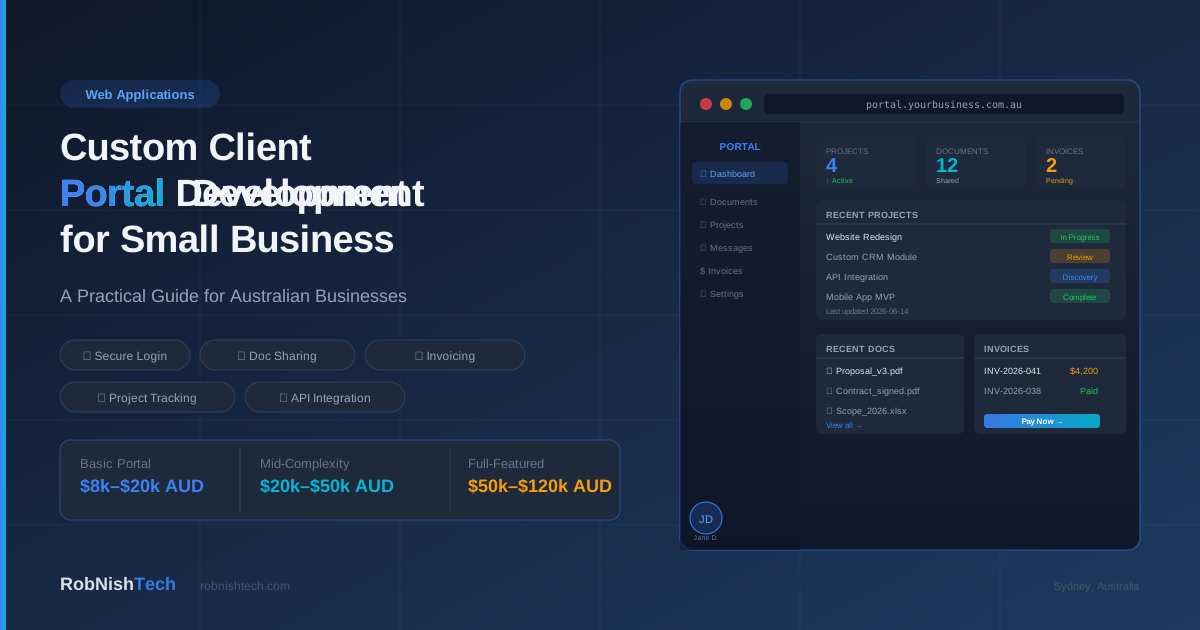
If your business communicates with clients through a mix of email threads, shared Google Drives, PDF attachments, and manual status updates, you have likely felt the friction. Clients ask the same questions repeatedly. Files get lost. Updates are inconsistent. And your team spends more time managing communication than delivering the work.
A custom client portal solves this by giving your clients — and your team — a single, branded place to access documents, track project status, raise requests, review invoices, and communicate without relying on scattered email chains.
This guide explains what custom client portal development involves, when it makes sense for an Australian small business, what it costs, and what the build process looks like.
What Is a Client Portal?
A client portal is a secure, login-protected web application that allows your clients to interact with your business in a structured way. Rather than receiving ad-hoc emails or chasing attachments, a client logs in and sees everything relevant to their relationship with you: project status, shared documents, invoices, messages, and any approvals they need to action.
Client portals are used across professional services, trades businesses, consultancies, agencies, accountants, legal firms, and any business that manages ongoing relationships with a defined set of clients.
The defining feature is that it is private and structured — unlike a public website, it is specific to each client and controlled by your business.
Client Portal vs Customer Portal vs Corporate Portal
People searching for portal development use a few different terms for the same underlying system, so it helps to clear up the language before you brief a developer.
A client portal and a customer portal are effectively the same thing — a secure, login-protected space where the people you serve access their own documents, status, messages, and invoices. "Client portal" tends to be used by professional services firms, agencies, and consultancies with ongoing engagements, while "customer portal" is more common in product, e-commerce, and SaaS businesses serving a larger base of customers. The build is the same either way: secure logins, role-based access, and the features your workflow needs.
Corporate client portal development usually refers to the same idea at a larger scale — multiple users per client organisation, single sign-on, tighter access controls, audit trails, and reporting. Whether you call it a client portal, a customer portal, or a corporate portal, custom portal development follows one path: scope what each user needs to see, then build around your real workflow rather than a template. If you are still weighing that build-versus-buy question, our custom software vs SaaS comparison and guide to when custom software is worth it both apply directly.
Client Portal Software vs Custom Development
The first decision Australian businesses face is whether to use off-the-shelf client portal software or build a custom portal.
Off-the-shelf tools such as Clinked, FuseBase, SuiteDash, and various practice management platforms offer templated portal experiences. They are faster to set up and have lower upfront cost. The trade-off is that they are built for a general use case, not yours. You may find yourself constrained by their feature set, unable to integrate with your existing systems, paying per-user fees that scale poorly, or unable to match your brand properly.
Custom client portals are built specifically for how your business operates — your workflows, your data structure, your integrations with tools like Xero, HubSpot, or your CRM, and your brand. They cost more upfront but become a genuine operational asset rather than a dependency on a third-party platform.
For small businesses with straightforward needs and fewer than 20 clients, a well-chosen SaaS tool may be sufficient. For businesses with complex client workflows, proprietary data, specific integration requirements, or a large and growing client base, custom development is usually the better long-term investment.
If you have already read our custom software vs SaaS comparison, the same decision framework applies here.
Key Takeaway
Off-the-shelf portal software works well for simple, low-volume client relationships. When your workflow is complex, your client base is growing, or you need deep integration with your existing systems, custom development becomes the stronger long-term choice.
Common Features in a Custom Client Portal
A custom portal is built around what your clients actually need, but most projects include some combination of the following:
Secure Login and User Management
Each client gets their own login credentials. Permissions can be scoped so clients only see their own data, and your team has separate admin access with role-based controls.
Document Sharing and Version Control
Upload contracts, reports, deliverables, and reference documents. Clients can download what they need, and your team can update or replace files without sending new emails.
Project or Job Status Tracking
A live view of where each project stands — whether it is in discovery, in development, awaiting client feedback, or complete. This replaces the "just checking in on progress" emails that consume time on both sides.
Invoicing and Payment Integration
Display outstanding invoices and accept payment directly within the portal, integrated with Xero, Stripe, or your accounting system. We have covered Stripe payment integration and Xero API integration separately if you want more detail on either.
Messaging and Notifications
A structured way to send and receive messages tied to a specific project or request, with email notifications so clients do not miss updates.
Approval Workflows
Request a client sign-off on a design, scope change, or document. Log when approvals were given and by whom, creating a clear audit trail.
Reporting and Dashboards
Give clients visibility into their own data — usage reports, financial summaries, or project metrics — without requiring a phone call or custom report each time.
When Does a Custom Client Portal Make Sense?
A custom portal is worth the investment when:
- You manage more than 20 active clients or projects simultaneously and the overhead of tracking each one is measurable in hours per week
- Your workflow involves proprietary data, custom fields, or unique processes that generic software does not support
- You need to integrate the portal with systems you already use — accounting, CRM, job management, or internal databases
- You want clients to interact with data that exists in your systems, not just documents
- A branded, professional portal experience is part of your service offering and competitive differentiation
- You are scaling and need a system that grows without per-user subscription costs compounding
It may not be the right fit if your client interactions are minimal and largely document-based, a practice management tool already covers your needs, or you are not yet at a scale where the operational saving justifies the build cost.
How Much Does Custom Client Portal Development Cost in Australia?
Cost depends on the number of features, integrations, and the complexity of your data model.
Basic portal (login, document sharing, simple project status): $8,000–$20,000 AUD
Suitable for businesses that want a clean, branded portal without complex integrations or workflows. Typical build time: two to four weeks.
Mid-complexity portal (+ invoicing integration, approval workflows, notifications): $20,000–$50,000 AUD
Includes integrations with Xero, Stripe, or a CRM. Suitable for professional services firms or agencies managing multiple client engagements. Typical build time: four to eight weeks.
Full-featured portal (+ custom dashboards, reporting, role-based permissions, API connections): $50,000–$120,000 AUD
For businesses with complex client data, multiple service lines, or a need for real-time reporting and analytics. Typical build time: eight to sixteen weeks.
These ranges are broad because scope varies significantly. A scoping session before development begins will produce a more accurate figure. Our process page explains how we approach discovery.
Ongoing maintenance — keeping integrations current, adding features, fixing issues — typically runs $500–$3,000 per month depending on usage and change frequency.
For broader context, our custom software cost guide covers the full pricing framework for software projects in Australia.
What the Build Process Looks Like
A typical custom client portal project at RobNish Tech follows these stages:
- Discovery and scoping: We review your current client workflow, identify what information clients need access to, map your existing systems, and define the feature set. This produces a clear scope and fixed-price quote before any code is written.
- Design and UX: We design the portal interface — login screens, dashboards, document views, and navigation — matched to your brand. You review and approve before development starts.
- Development: We build the portal as a web application, using a modern backend and a clean, responsive frontend. Integrations with Xero, Stripe, HubSpot, or your CRM are built and tested during this phase.
- User acceptance testing: You and a small group of clients test the portal with real data before it goes live. We address any issues found during testing.
- Launch and handover: We deploy to your domain, set up your first client accounts, and provide documentation for your team. Ongoing support is available as needed.
Practical Considerations for Australian Businesses
Data Sovereignty
If your portal handles sensitive client data — financial, legal, medical, or personal information — it should be hosted on Australian servers. Cloudflare, AWS Sydney, and Azure Australia East are all common options. We advise on the right choice for your compliance requirements.
Mobile Access
Many clients access portals on their phones. A well-built portal should be responsive and usable on mobile without a separate app.
Client Adoption
A portal only works if clients use it. Simple, intuitive design matters as much as the feature set. Training clients to use the portal — rather than reverting to email — requires clear onboarding and sometimes a short change-management effort on your part.
Integration With Your Team's Tools
Your team needs to know when clients upload documents, send messages, or take actions in the portal. Proper notification and workflow integration on the admin side is as important as the client-facing features. Our API integration service covers the technical side of connecting your portal to the tools your team already uses.
Frequently Asked Questions
How long does it take to build a custom client portal in Australia?
A basic portal takes two to four weeks. A mid-complexity portal with integrations typically takes four to eight weeks. More comprehensive portals with custom dashboards and multiple API connections take eight to sixteen weeks. Timeline depends on scope, how quickly feedback is provided during review stages, and integration complexity.
Can I migrate client data from my existing system into the new portal?
Yes. Data migration is a standard part of most portal projects. We can import existing client records, documents, and project data from spreadsheets, existing software, or exported files. The effort required depends on the volume and format of your existing data.
What technology is used to build a custom client portal?
We use modern web technologies suited to the project requirements — typically a JavaScript or Python backend with a React or similar frontend, hosted on Australian cloud infrastructure. We recommend what fits your use case, not what is easiest to build with.
Can clients access the portal on mobile?
Yes. Portals we build are fully responsive and designed to work on desktop, tablet, and mobile browsers without a separate app.
How is a custom portal different from giving clients access to a shared Google Drive?
A Google Drive gives clients access to files but no structure, no project tracking, no messaging, no invoicing, and no separation between client data. A custom portal is purpose-built for how your business works. Clients see only what is relevant to them, and your team can manage interactions from a proper admin interface.
Who maintains the portal after launch?
We provide ongoing support options ranging from ad-hoc fixes to monthly retainers. You own the codebase and hosting. We recommend budgeting for regular maintenance to keep integrations current and add features as your business evolves.
What is the difference between a client portal and a customer portal?
The terms are largely interchangeable and describe the same thing: a secure, login-protected area where the people you serve access their own information. "Client portal" is more common in professional services, agencies, and consultancies with ongoing engagements, while "customer portal" is more common in product, e-commerce, and SaaS businesses serving a larger base of customers. The underlying build — secure logins, role-based access, documents, status, messaging, and payments — is the same, so we build both under one approach.
Can you build a customer portal with client logins and online payments?
Yes. A portal with individual client logins and integrated online payments is one of the most common builds we do. Each client gets secure, role-scoped access, and payments are handled through Stripe or your accounting system so clients can view and settle invoices inside the portal. As an Australian developer we host on Australian infrastructure and handle the GST and reconciliation side through Xero or MYOB where needed.
Do you build corporate client portals for larger organisations?
Yes. Corporate client portal development typically adds multiple user roles per client organisation, single sign-on, tighter access controls, audit trails, and reporting dashboards. We scope these requirements during discovery and build the portal to match your governance, data sovereignty, and integration needs rather than forcing your process into off-the-shelf software.
Need Help With Your Next Project?
We build custom software, integrate AI, and automate workflows for businesses across Australia.
Get in Touch