Plenty of Australian businesses are quietly run on software that has aged out. It might be a custom system built years ago by a developer who has since moved on, an old desktop application that only runs on one machine in the office, or a tool whose vendor stopped releasing updates. It still works, more or less, so it keeps getting used. The trouble is that "more or less" slowly turns into manual workarounds, security risk, and a system nobody can safely change.
This guide is for Australian small business owners, operations managers, and founders weighing up what to do with software that is starting to hold them back. We will explain what counts as legacy software, the signs it needs attention, your four real modernisation options, realistic 2026 costs in Australia, and how to do the work without disrupting the operations that depend on it.
What counts as legacy software?
"Legacy" does not just mean old. A well-built system that still does its job and can be safely updated is not a problem. Legacy software is software that has become difficult or risky to maintain, extend, or rely on, regardless of its age.
In practice, a system has usually become legacy when one or more of these are true: it runs on outdated technology that few developers still work with, the original builder is gone and nobody fully understands the code, the vendor has stopped supporting or patching it, it cannot connect to the other tools your business now uses, or it can only run on specific old hardware or an unsupported operating system.
The reason this matters is that legacy systems quietly tax the business. They are harder to change when your needs shift, more expensive to keep running, more exposed to security issues, and a genuine risk if the one person who understands them leaves. Modernisation is about removing that tax before it turns into a crisis.
Signs your software needs modernising
You rarely get a single dramatic failure that forces the decision. Instead, the signals build up over time. Watch for these:
- The vendor has stopped updating it. No security patches and no new features mean the gap between what you have and what you need only widens.
- Staff have built workarounds. When people keep data in side spreadsheets, re-key information between systems, or maintain a "real" version outside the software, the tool is no longer doing its job. These are the same warning signs we cover in our guide to replacing spreadsheets with custom software.
- It will not connect to anything. Modern operations depend on tools talking to each other. If your system cannot integrate with your accounting, CRM, or web platforms, it forces manual handoffs.
- It only runs in one place. Software tied to a single ageing computer or an unsupported operating system is a continuity risk, not just an inconvenience.
- Maintenance costs keep climbing. Paying more each year to keep an old system limping along is often a sign the money would be better spent modernising.
- Changing it feels dangerous. When even small updates are avoided because nobody is sure what will break, the system has become fragile.
Key Takeaway
Legacy software is not simply old software, it is software that has become risky or expensive to maintain, hard to change, or unable to connect to your other tools. Workarounds, rising maintenance costs, and a fear of touching the system are the clearest signals it is time to act.
Your four modernisation options
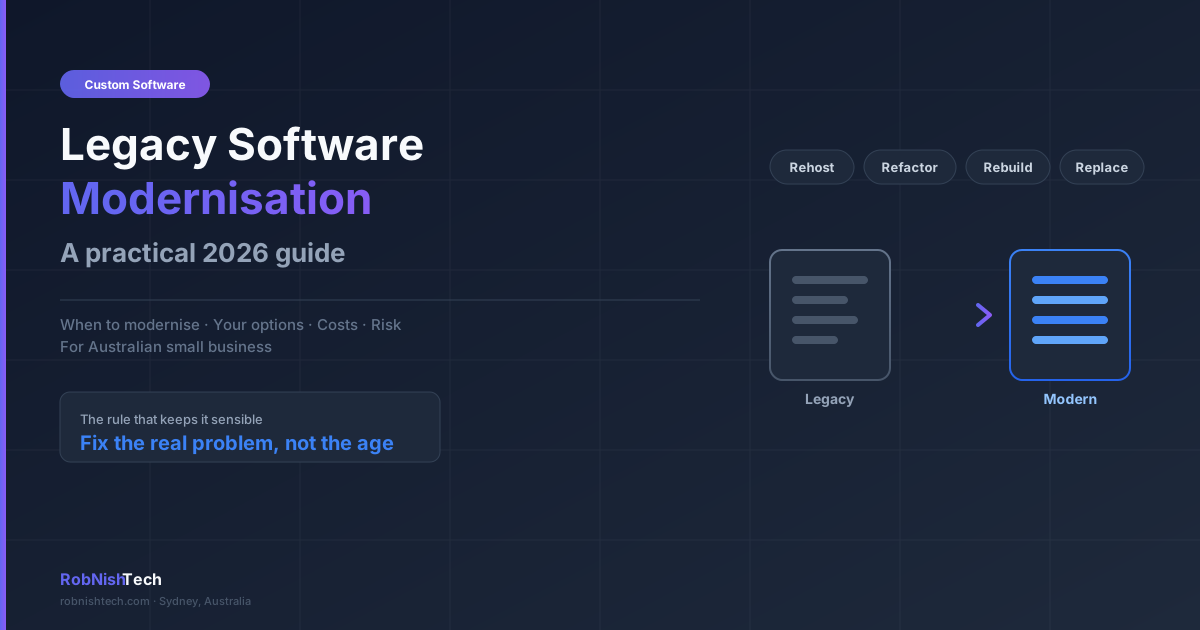
Modernisation is not a single decision. There are four broad paths, from lightest to heaviest, and the right one depends on the condition of the system and how central it is to your business.
Rehost (lift and shift)
You move the existing software, largely unchanged, to modern infrastructure such as cloud hosting. This is the lightest option. It improves reliability, availability, and often security, without changing how the software works. It is a good first step when the application itself is fine but the hardware or hosting underneath it is the problem. Our cloud and deployment support work often starts here.
Refactor
You keep the system but improve parts of it: clean up the code, update outdated components, fix the worst bottlenecks, or add the integrations you are missing. This suits a system that is fundamentally sound but has specific, well-understood problems. It costs more than a rehost but far less than a rebuild.
Rebuild
You build a new version of the system as modern custom software, keeping the parts of the process that work and fixing the parts that do not. This is the right call when the underlying technology is genuinely past its use-by date, or when the business has changed so much that patching the old system no longer makes sense. It is the largest investment, but it gives you a system you fully own, understand, and can keep evolving.
Replace
You retire the custom system and move to an off-the-shelf product instead. This works well when your process is fairly standard and a SaaS tool covers most of what you need. It is worth weighing carefully, and our guide to custom software vs SaaS walks through that trade-off in detail.
Many businesses end up combining these. A common and sensible pattern is to replace the generic parts of an old system with off-the-shelf tools, and rebuild only the specific workflow that gives the business its edge.
When to modernise (and when to wait)
Modernisation is worth doing when the cost of standing still is real and measurable. That usually means the system is creating ongoing manual work, blocking growth, exposing you to security or compliance risk, or has become a single point of failure. If you can put a number on the time wasted or the risk carried, the case for action is strong. This is closely related to the broader question of when to invest in custom software.
It is reasonable to wait when the system, despite its age, still does its job well, is supported, and is not blocking anything important. Age alone is not a reason to spend money. The goal is to fix a real problem, not to chase the newest technology for its own sake.
A practical middle path is to start with a low-cost rehost to remove the most urgent risk, such as unsupported hardware, while you plan a larger refactor or rebuild for when the budget and timing are right.
Cost and timelines in Australia
Costs in Australia in 2026 depend heavily on which path you take and the size and condition of the system. As indicative ranges, not quotes:
- Rehost: often starts in the low thousands, depending on how the software is packaged and where it moves to.
- Refactor or integration work: commonly runs from roughly AUD $10,000 to $40,000, depending on how much of the system is touched.
- Full rebuild: typically starts around AUD $30,000 and rises into six figures for larger, more complex platforms.
Timelines follow the same pattern. A rehost can take days to a few weeks. A targeted refactor usually runs a few weeks to a couple of months. A full rebuild of a core business system commonly takes a few months, sometimes longer for complex platforms.
The single biggest factor in both cost and risk is how well the existing system is understood. A documented, well-structured system is far cheaper to modernise than an undocumented one that has to be reverse-engineered first. A short scoping conversation, which you can read about on our process page, turns a rough idea into a defined plan and a realistic estimate before any commitment.
How to modernise without breaking your business
The risk people worry about most is disrupting the operations the software runs. That risk is manageable with the right approach.
Start with a discovery phase to map what the current system actually does, including the undocumented bits staff rely on. Skipping this step is the most common cause of modernisation projects going over budget, which we cover in our guide to the software discovery phase. Plan the data migration carefully and test it thoroughly, because moving years of business data cleanly is often the hardest part of the job.
Where possible, roll out in phases and run the old and new systems side by side for a period, so you can switch back if something is not right. Keep your team informed and involved, because the people using the software every day know where the real edge cases are. And insist on documentation and handover at the end, so you are never again dependent on a single person to understand your own system. If you are choosing a partner for the work, our guide on how to hire a custom software developer covers what to look for.
A quick decision checklist
Run through these before committing to any path:
- Is the software still supported and patched by its vendor or builder?
- Are staff using spreadsheets or manual workarounds to get around its limits?
- Can it connect to your accounting, CRM, and other key tools?
- Does it depend on one old computer, an unsupported system, or one person's knowledge?
- Can you measure the time, money, or risk the current system is costing you?
- Is your process standard enough for off-the-shelf software, or specific enough to justify a custom rebuild?
If the system is unsupported, full of workarounds, disconnected, or fragile, it is time to plan a modernisation. If it still does its job safely and is not blocking anything, it is reasonable to wait. When the answer is mixed, start with the lightest option that removes the biggest risk.
Frequently Asked Questions
What is legacy software modernisation?
Legacy software modernisation is the process of updating, rebuilding, or replacing outdated business software so it is secure, supportable, and able to connect to the tools you use today. It can range from moving an old system to the cloud, to refactoring parts of the code, to rebuilding it from scratch, depending on the condition of the system and what the business needs.
How much does it cost to modernise legacy software in Australia?
Costs vary widely with the approach. A simple rehost to the cloud can start in the low thousands, a partial refactor or set of integrations often runs from roughly AUD $10,000 to $40,000, and a full rebuild of a core business system typically starts around AUD $30,000 and rises into six figures for complex platforms. The right figure depends on the system's size, condition, and how much of it you actually need to change.
Should I rebuild or replace my legacy software?
Replace it with an off-the-shelf product if your process is fairly standard and a SaaS tool covers most of what you need. Rebuild it as custom software if the system encodes a process that gives you a real advantage, or if no off-the-shelf product fits the way you actually work. Many businesses do a mix: replace the generic parts and rebuild only the workflow that makes them different.
How do I know my business software is outdated?
Common signs include the software no longer being supported or updated by its vendor, staff using spreadsheets and manual workarounds to get around its limits, it not connecting to your other tools, it only running on one old computer, rising maintenance costs, and security or compliance risk from an unpatched system. If two or more of these are true, it is worth assessing your options.
Is it risky to modernise software my business depends on?
There is real risk in changing a system that runs your operations, which is exactly why the work should be planned carefully rather than rushed. A short discovery phase, a phased rollout that runs the old and new systems side by side, thorough testing, and a clear data migration plan all reduce the risk substantially. The bigger long-term risk is usually leaving an unsupported, insecure system in place.
Need Help With Your Next Project?
We build custom software, integrate AI, and automate workflows for businesses across Australia.
Get in Touch