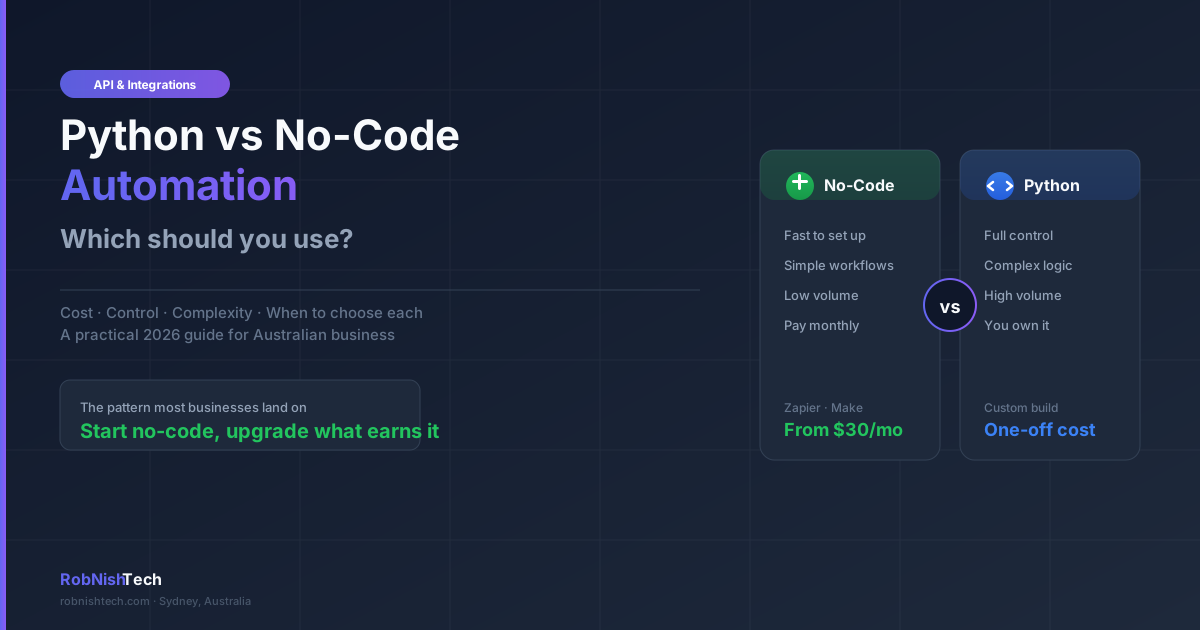
Most Australian businesses reach a point where the same task is being done by hand every day, and someone asks whether it can be automated. The next question is usually how: a no-code tool like Zapier or Make, or something custom built in Python. The choice matters, because picking the wrong approach either caps what you can do or has you paying a developer for something a $30-a-month tool would have handled.
This guide is for Australian business owners, operations managers, and founders deciding between no-code automation and custom Python automation. We will explain what each approach really is, where each one wins, a simple framework for choosing, realistic costs in 2026, and why most businesses end up using a mix of both.
What no-code and Python automation actually mean
No-code automation uses a platform with a visual, drag-and-drop interface to connect apps and move data between them without writing code. Tools like Zapier, Make, and Pabbly fall into this category. You build a workflow by picking a trigger (a new form submission, a new invoice) and one or more actions (add a row, send an email, update a record). The platform handles the plumbing.
Custom Python automation is a script or small application written specifically for your workflow. Instead of configuring a generic tool, a developer writes code that does exactly what you need, runs on a schedule or a trigger, and talks directly to the APIs of the systems involved. Our Python automation guide covers the common use cases in more detail, from invoice reconciliation to report generation.
The honest framing is not "modern versus old-fashioned". Both are current, both are widely used, and the right one depends entirely on the job.
Where no-code automation wins
For a large share of everyday business workflows, no-code is the correct first choice. It wins when:
- The workflow is simple and linear. Moving data from a form to a spreadsheet, posting to Slack when a deal closes, or copying new contacts into your CRM are exactly what these tools were built for.
- You need it working today. A no-code automation can often be live in an afternoon, with no developer and no deployment.
- The apps are popular and supported. Zapier and Make have thousands of pre-built connectors for mainstream SaaS products, so common tools like Xero, HubSpot, Gmail, and Stripe usually just work.
- Volume is low to moderate. If you are processing tens or low hundreds of tasks a month, the subscription cost stays comfortable.
- Non-technical staff need to maintain it. A team member can often adjust a no-code workflow themselves, where custom code would need a developer.
The trade-off is that you are renting capability. Pricing is usually tied to task volume, so costs rise as you scale, and you are limited to what the platform supports. Complex logic, heavy data transformation, or an unsupported system can turn a tidy workflow into a fragile chain of workarounds.
Where custom Python automation wins
Custom Python automation earns its place when a workflow outgrows what a no-code tool can do cleanly. It wins when:
- The logic is complex. Conditional branching, calculations, data validation, and multi-step processing are far easier to express and maintain in code than in a tangle of no-code modules.
- Volume is high. No-code pricing scales with usage. A script processing thousands of records a day can run for cents, while the equivalent no-code plan can climb into the hundreds of dollars a month.
- You need full control of your data. When a workflow touches sensitive customer, financial, or health information, keeping it inside systems you own and host can matter for privacy and compliance. Confirm your specific obligations with the appropriate professional.
- The integration is unusual. If a system has no no-code connector, or only a limited one, talking directly to its API in code is often cleaner than forcing a workaround.
- You want to own it outright. Custom automation is a one-off build you keep, with no per-task subscription and no risk of a platform changing its pricing or pulling a feature.
The trade-off is the opposite of no-code: a higher upfront cost, a developer needed to build and change it, and a short delivery time rather than an instant setup. For the right workflow, that upfront investment pays back quickly through lower running costs and capability the no-code tool could never reach.
Key Takeaway
No-code automation wins on speed and simplicity for low-volume, standard workflows between popular apps. Custom Python automation wins on complex logic, high volume, data control, and long-term cost. Most businesses should start no-code and move to custom only when the workflow justifies it.
A simple way to decide
You can usually settle the question with four practical tests:
- Complexity. Can you describe the workflow as a straight line of simple steps? No-code is likely fine. Does it involve branching logic, calculations, or messy data? Custom code will be cleaner.
- Volume. Estimate how many tasks run per month. Low volume favours no-code. High and growing volume favours a custom build, because no-code pricing rises with usage.
- Control. Does the workflow handle sensitive data, or does it need to behave in a very specific way? The more control you need, the stronger the case for custom.
- Cost over time. Compare the ongoing no-code subscription at your expected volume against a one-off build with minimal running costs. If the subscription will exceed the build cost within a year or two, custom starts to make financial sense.
If three or four of these point the same way, your answer is clear. When they are split, the usual move is to start with no-code and revisit later.
Cost and timelines in Australia
In Australia in 2026, the two approaches sit at different points on the cost curve.
No-code tools are an operating expense. Entry plans for Zapier or Make start at roughly AUD $30 a month, with most small businesses landing somewhere between $50 and a few hundred dollars a month once task volume and premium features are included. Setup is fast, often same-day, and usually needs no developer.
Custom Python automation is a capital expense. A single, well-scoped script typically starts in the low thousands. A larger automation that handles several connected workflows, with error handling and monitoring, runs into the tens of thousands depending on scope. Delivery usually takes from a few days to a few weeks. After that, hosting costs are minimal, often just a few dollars a month, and there are no per-task fees. For broader context on automating operations, our guide to workflow automation for small business covers what to automate first.
The figures above are indicative ranges, not quotes. The real number depends on the specific workflow, the systems involved, and the volume. A short scoping conversation, which you can read about on our process page, turns a rough idea into a defined plan and a realistic estimate.
The hybrid approach most businesses end up with
The build-versus-buy framing suggests you must pick one. In practice, most mature setups use both, and that is the sensible outcome.
A common and effective pattern is to start with no-code. It lets you validate a workflow cheaply, learn where the real friction is, and prove the automation is worth having before anyone writes code. Once a workflow is stable, runs at high volume, or starts straining against the platform's limits, you rebuild that specific piece in custom code and leave the rest on no-code.
It is also worth noting that the line between the two is blurring. Zapier and Make now let you run small snippets of Python or JavaScript inside a no-code workflow, which covers many cases where you need a touch of custom logic without a full build. The decision is rarely all-or-nothing.
If you want help drawing that line for your own operations, our API integration and automation service exists to map your workflows and recommend the lightest approach that does the job, whether that is no-code, custom software, or a combination.
A quick decision checklist
Run through these before committing to either path:
- Can you describe the workflow as a few simple, linear steps?
- How many times will it run per month, and is that number growing?
- Does it handle sensitive customer, financial, or health data?
- Are all the apps involved supported by a mainstream no-code connector?
- What would the no-code subscription cost at your expected volume over two years?
- Does anyone non-technical need to maintain or adjust it themselves?
If your workflow is simple, low-volume, and uses supported apps, start with no-code today. If it is complex, high-volume, data-sensitive, or expensive to run on a subscription, a custom build will serve you better. When in doubt, start light and upgrade the parts that earn it.
Frequently Asked Questions
Is Python better than Zapier for business automation?
Neither is universally better. Zapier and other no-code tools are faster to set up and ideal for simple, low-volume workflows between popular apps. Custom Python automation is better when you need complex logic, high volume, full control over your data, or per-task costs that do not grow with usage. The right choice depends on the complexity and scale of the workflow.
When should a small business use custom Python automation instead of no-code?
Consider custom Python automation when no-code subscription costs are climbing as your task volume grows, when a workflow needs logic or data handling the no-code tool cannot do cleanly, when you need a system you fully own and control, or when an unsupported app forces awkward workarounds. Until then, no-code is usually the cheaper and faster starting point.
How much does business automation cost in Australia in 2026?
No-code tools like Zapier and Make typically cost from around AUD $30 to a few hundred dollars a month depending on task volume and features. Custom Python automation is usually a one-off build starting in the low thousands for a single script and rising into the tens of thousands for a larger system, after which running costs are minimal. The total cost depends on workflow complexity and volume.
Can you start with no-code and move to custom automation later?
Yes, and many businesses do. Starting with a no-code tool lets you validate a workflow quickly and cheaply, then rebuild it in custom code once the process is stable and the volume or complexity justifies the investment. Designing your data and integrations cleanly from the start makes that transition easier.
What is the difference between Zapier and Make.com?
Both are no-code automation platforms. Zapier is known for simplicity and the largest library of app integrations, which suits straightforward, linear workflows. Make.com offers a visual builder with more advanced logic, branching, and data transformation, which suits more complex multi-step scenarios. Both now support small amounts of custom code on paid plans.
Need Help With Your Next Project?
We build custom software, integrate AI, and automate workflows for businesses across Australia.
Get in Touch